Note 06/26/25: This tutorial needs updated screenshots to change from Postman to Bruno.
It's important to make sure that all REST API traffic is properly secured, but it's not practical to force applications to provide login credentials every time. Instead the API should return a reusable token during login, then the application should verify this token in the Authorization header for every request. JSON Web Tokens can be a good tool to satisfy this need.
There are numerous packages available to add JWT support to your Symfony application. However, most of these are intended to handle authentication and are more complicated than necessary for use as authorization tokens. (See the differences between identification, authentication, and authorization for more details.)
The PHP-JWT library from Firebase is a lightweight and simple library that can be used to manage tokens in your application with just a few lines of code.
Installing PHP-JWT
(This step has already been completed in your CIS-294 Symfony project.)
First, add firebase/php-jwt to your application with Composer and commit the changes.
composer require firebase/php-jwt
Creating and validating tokens
Next, use the very first example in the documentation to add token handing to your API.
As noted in the documentation, you will need a $key and a $payload.
Your $key is secret, so an example should be added to your application's .env file, with the actual key stored in .env.local.php so it's not stored in the git repository. Read this value from the environment using the $_ENV global array.
Your $payload will be an array of JSON Web Token Claims that assert some information about the user (who just logged in, since tokens are created by the api/login endpoint!) You can add as many tokens as needed (here's a pretty big list), but you'll probably want some to clearly identify the user, like sub (for user id), name, and roles. Your payload should also contain Unix timestamp values for iat (Issued At) and exp (Expiration time).
Once you have this information worked out, you just need to call JWT::encode() to create a token, then write a method to read the Authorization header from the $request and use JWT::decode() to verify the token. Note that failed tokens will cause an error, so wrap the decode call in a try...catch statement.
Examples of testing
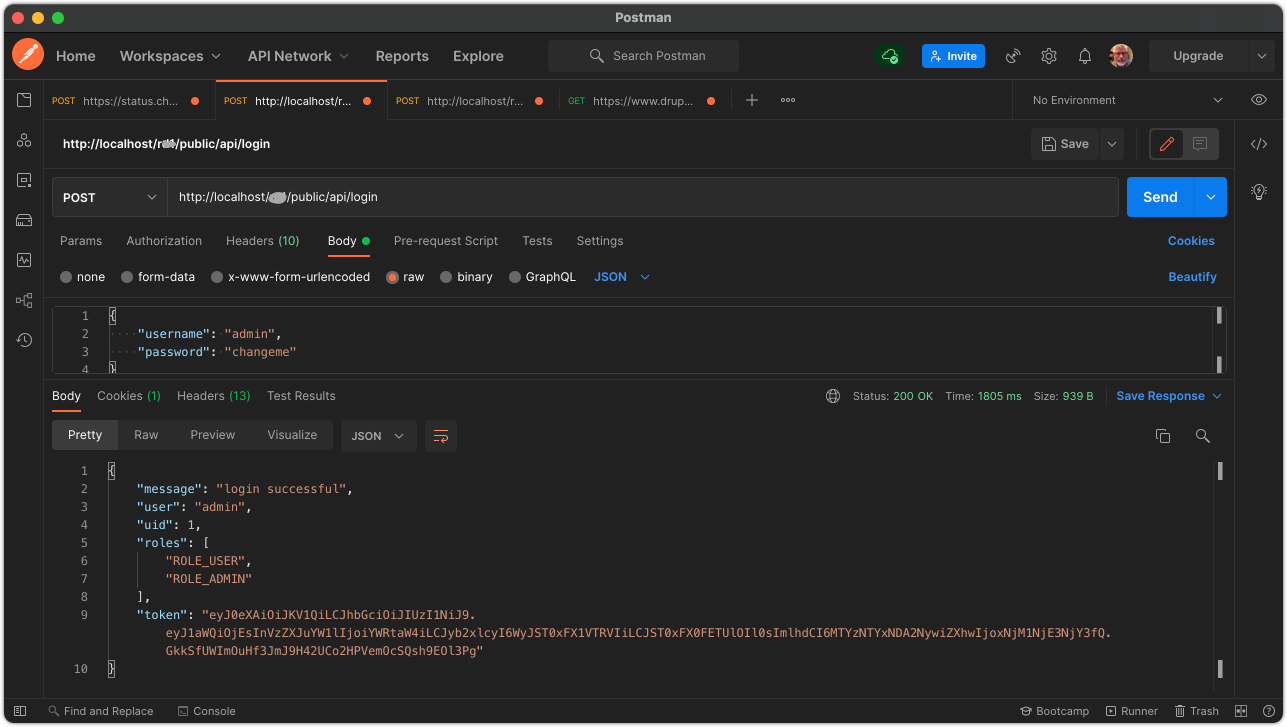
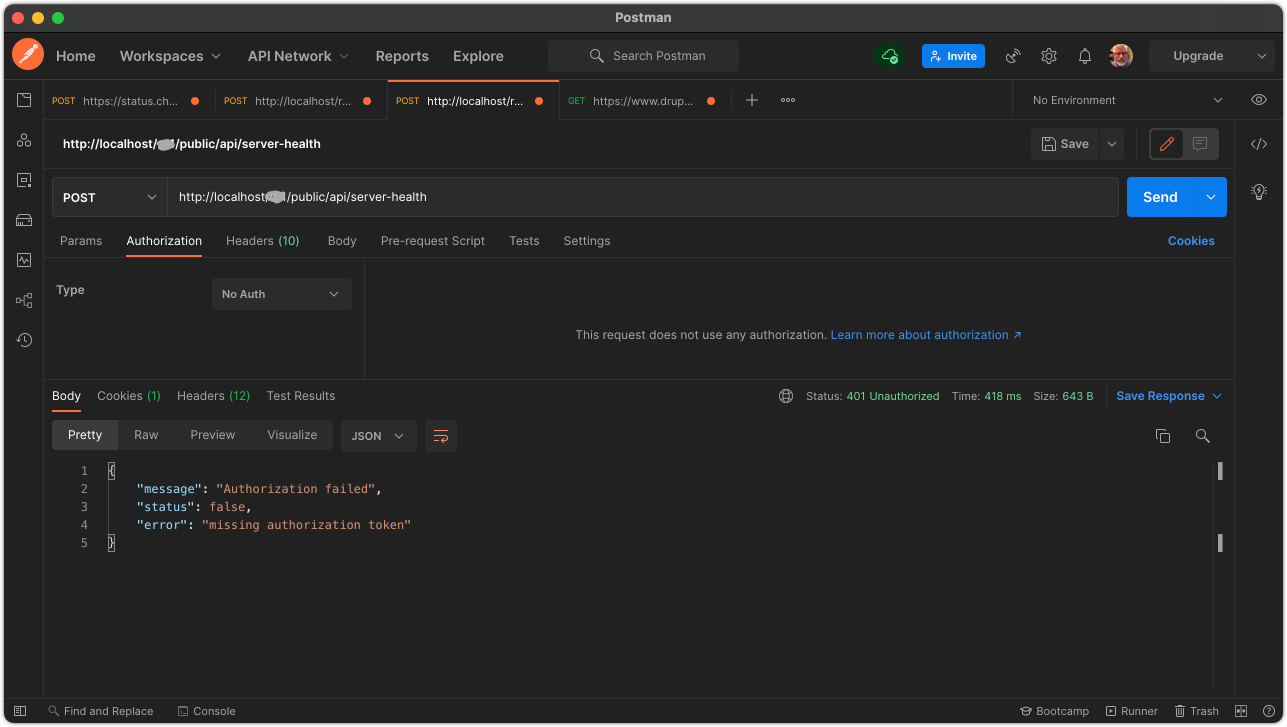
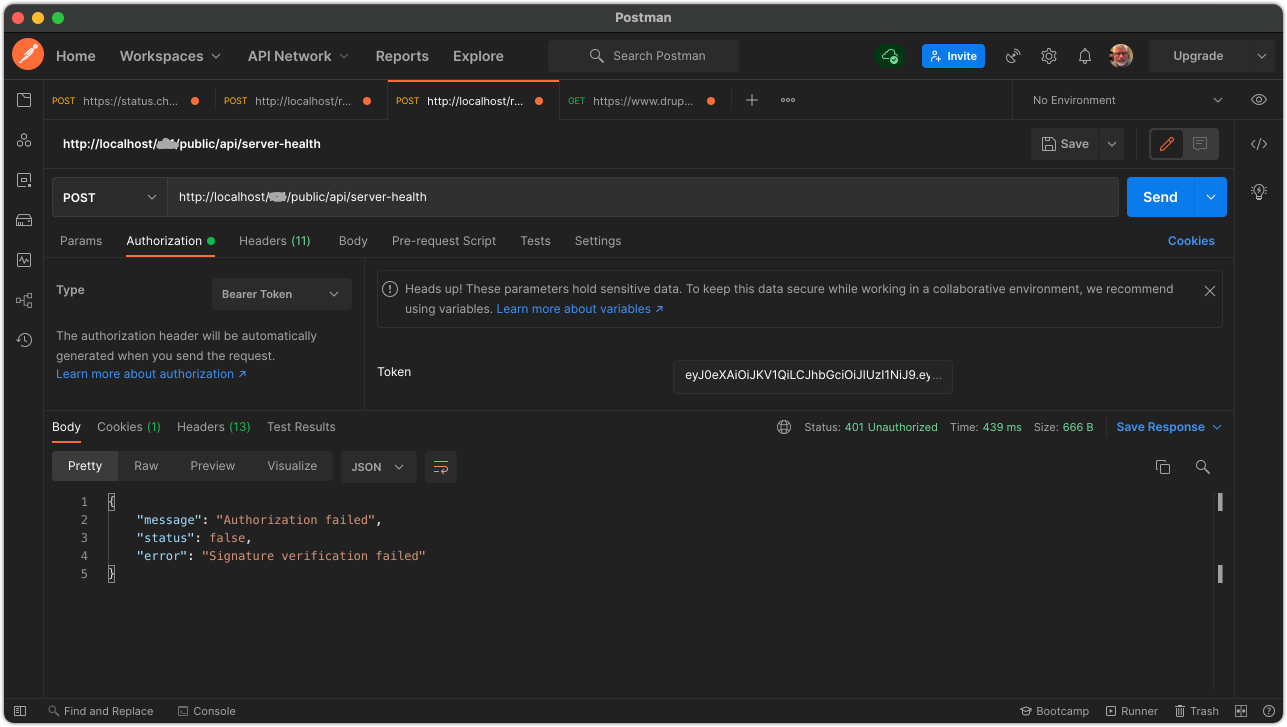
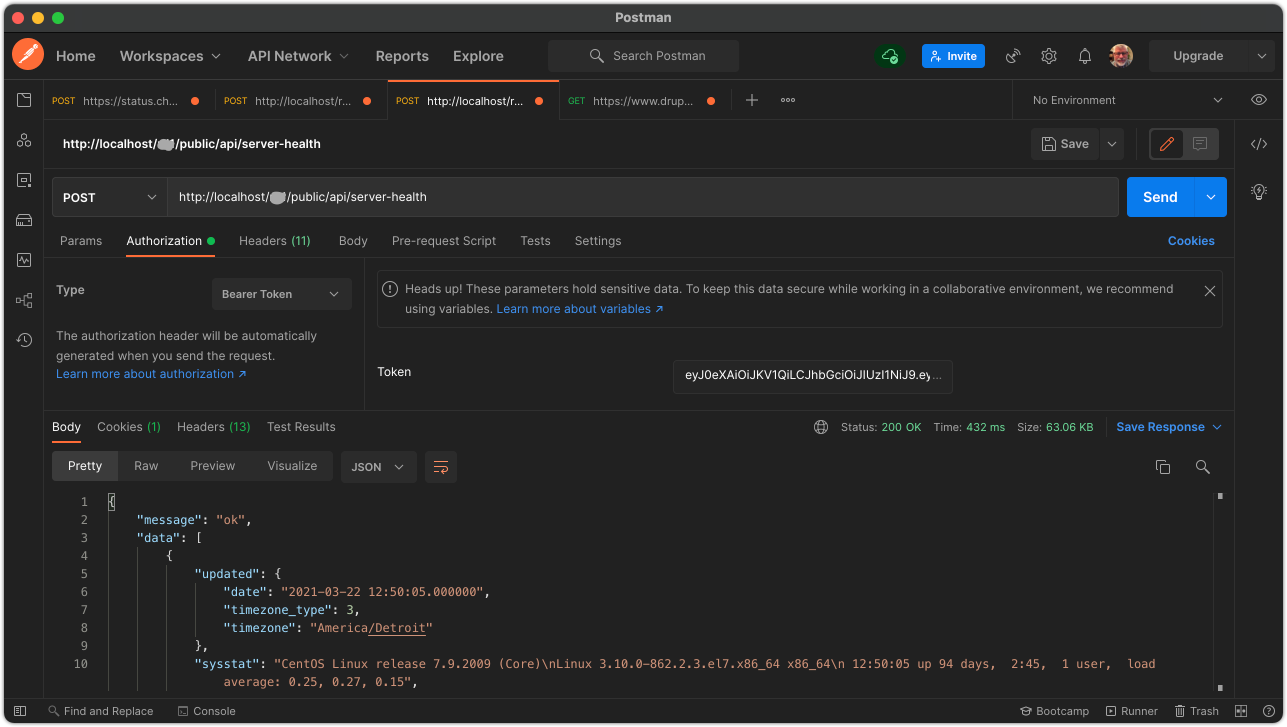
Here are some screenshots that show examples of testing tokens. Note that security is handled in the API, and not by the Symfony firewall. Also note that failed requests return a normal (200 OK) response, and shows the error in the contents. This could probably be modified to return with Response::HTTP_UNAUTHORIZED status instead, as long as the calling application supports it. (Specific endpoints might also return Response::HTTP_FORBIDDEN if the token is valid, but the user's roles do not allow that specific action.) That is something that would have to be worked out with the impacted desktop or mobile application development team.
The first screenshot shows a successful login with a JWT attached to the response.
The second example shows a request to a protected endpoint with no Authorization header. This request results in a failure.
The third screenshot shows a request with an invalid token in the header. This request also results in a failure.
The fourth screenshot shows a request with a valid token. The actual data returned is not important, but note that a properly authenticated request does return an array containing the anticipated response.
Your application will undoubtedly work slightly differently than these examples, but your team should be sure to test for all of these cases.